
Overview
It is possible to create leads in POLUMANA®. A lead differs from a contact in that it is not linked to a customer. Created leads can be called up within the customer application.
 Before creating a lead, make sure that POLUMANA® has access to your camera. This is necessary to scan the business card or other image material of the lead.
Lead creation and approval
The first step begins with the creation of a lead. To do this, it is necessary/advisable (but not mandatory) to read the lead’s business card.
| WIN | iOS | Function |
 |  | Create new lead |
| n.a. |  | Camera |
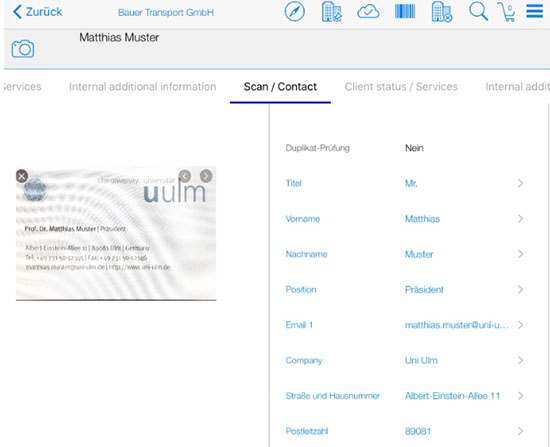
After you have tapped on the ‘Create new lead’ icon, you will see the input screen for the new lead. To scan a business card, you must click on the ‘Camera icon’ in iOS. In WIN, the left-hand side is automatically positioned as the camera.
After capturing the business card and entering all relevant data, the lead is saved. However, the lead must still be released. As long as the lead is only saved and not released, you will see the lead in the Lead application. Approved leads disappear from this view and can be viewed in the Customers application by restricting the customer status to Lead.
 polumana® Online Help